




Innerspark.us – The choice between felt and plastic stylus nibs depends on your drawing surface, as felt nibs provide a paper-like friction for precision control, while plastic nibs offer a smooth, durable glide ideal for glass screens.
Choosing the right stylus nib is often an overlooked aspect of digital art, yet it significantly impacts your workflow, hand fatigue, and the longevity of your tablet surface. Many artists assume that the nib included with their stylus is the only option, but the material composition—specifically felt versus plastic—can completely alter the tactile experience of your digital workspace.
Understanding Plastic Nibs: The Standard Choice
Plastic nibs, typically made from polyacetal or similar hard polymers, are the industry standard for most graphics tablets. They are designed for durability and consistency. When you use a plastic nib on a standard matte-textured screen protector or a bare drawing tablet surface, you get a reliable, low-friction glide. This is excellent for long drawing sessions where you need to move your hand quickly across the screen without feeling resistance.
However, plastic on glass can feel slippery, leading to a lack of control for intricate linework. Because they are hard, they do not wear down quickly, but they can also feel somewhat “disconnected” from the digital canvas. They are best suited for artists who prioritize speed, long-term cost-effectiveness, and a consistent feel that doesn’t change over time.
The Rise of Felt Nibs: Achieving the Paper-Like Feel
Felt nibs are the preferred choice for artists who struggle with the “glassy” feel of modern tablet displays. By introducing a soft, fibrous tip, these nibs create a subtle drag against the screen. This friction mimics the resistance of a graphite pencil on high-quality sketch paper, allowing for greater precision and a more organic drawing experience.
The primary trade-off is wear and tear. Because felt is a soft material, it degrades much faster than plastic. You will find yourself replacing these nibs significantly more often, especially if you apply heavy pressure while drawing. Despite the maintenance, many professionals argue that the improved control and reduced hand tension are worth the recurring cost of replacements.
Comparison of Nib Materials
| Feature | Plastic Nibs | Felt Nibs |
|---|---|---|
| Surface Feel | Smooth and slippery | High friction (paper-like) |
| Durability | High (lasts months) | Low (lasts weeks) |
| Ideal Use Case | Fast sketching, coloring | Detailed line art, calligraphy |
| Surface Wear | Low | Medium (can polish screens) |
Practical Considerations for Your Workflow
Before switching your nibs, consider the surface you are drawing on. If you use a high-end matte screen protector, plastic nibs may actually feel too scratchy or aggressive. Conversely, using a felt nib on a glass-only surface might feel like dragging a soft brush across a mirror, which can be an unpleasant tactile sensation for some. The best setup is often a combination of a textured screen protector and the nib material that best matches your personal pressure curve.
Another factor is the sound. Plastic nibs tend to produce a sharp, high-pitched “tapping” sound when they strike the screen, which can be distracting in quiet environments. Felt nibs provide a dampened, quiet experience, making them excellent for illustrators who work in shared office spaces or libraries.
How to Properly Replace Your Stylus Nib
Replacing a nib is a simple process, but doing it incorrectly can damage the internal sensor of your stylus. Follow these steps to ensure a safe transition:
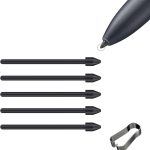
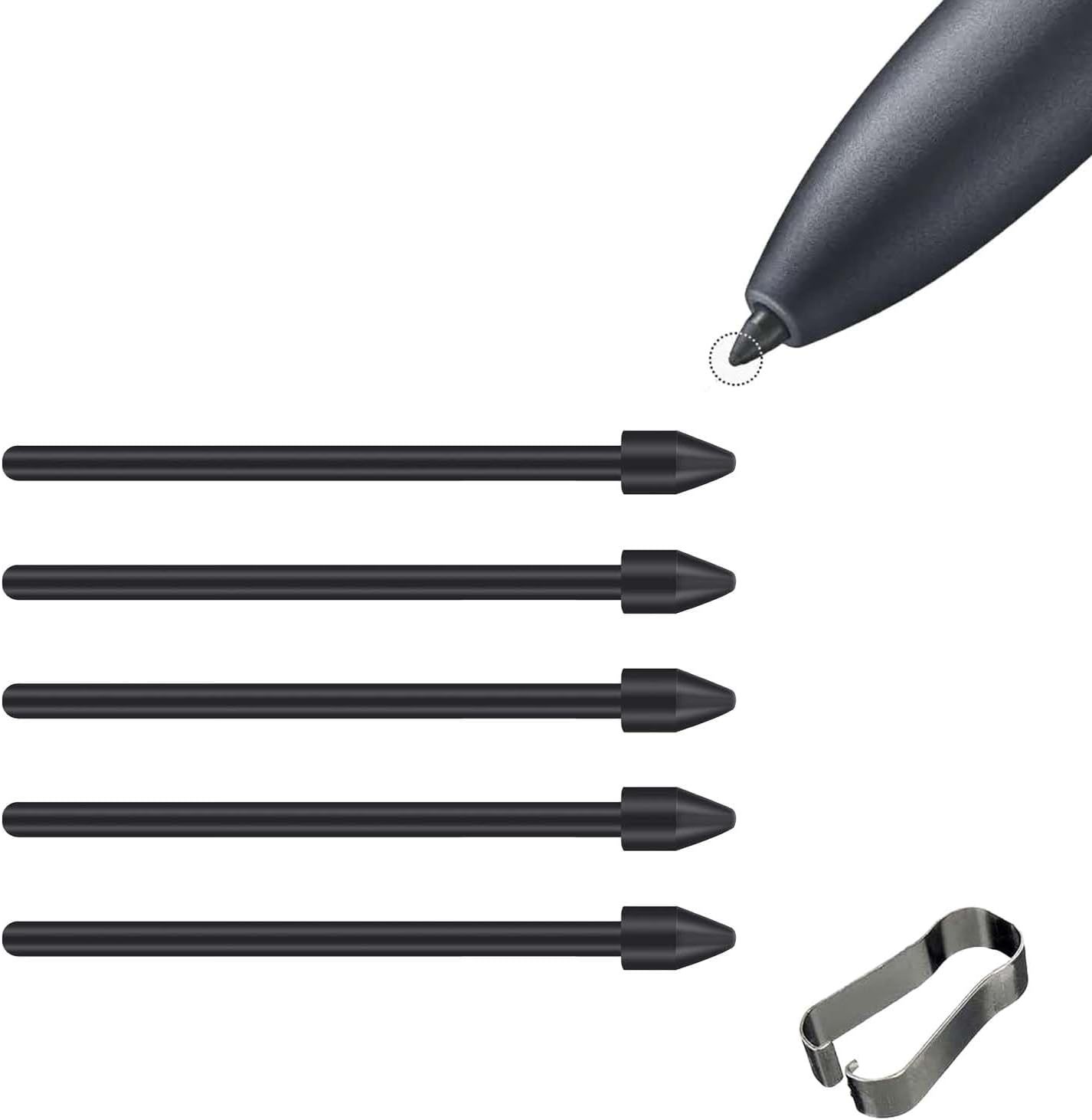
- Use the provided metal ring tool or a pair of clean, rubber-tipped tweezers to gently grip the exposed part of the current nib.
- Pull the nib straight out of the stylus housing; do not wiggle it side-to-side, as this can snap the plastic internal components.
- Inspect the internal socket for any dust or debris that may have collected during your previous drawing session.
- Insert the new nib into the hole, pressing firmly until you feel a soft click or until it sits flush with the casing.
- Test the pressure sensitivity in your software settings to ensure the new nib is calibrated correctly to your stroke intensity.
Common Mistakes and Tips for Longevity
The most common mistake artists make is waiting until the nib is completely flat or sharp before replacing it. A worn-down nib can develop a sharp, jagged edge that acts like a micro-knife, potentially scratching your tablet surface or screen protector. Periodically inspect your nibs under a light; if you see a flat spot or an uneven bevel, it is time for a replacement.
If you prefer the feel of felt but hate the cost of constant replacements, try adjusting your software’s pressure curve. By making the digital brush respond to lighter pressure, you can draw with a feather-light touch, which significantly extends the life of your felt nibs. Additionally, keeping your screen clean of dust is vital. Dust particles can act as an abrasive, grinding down your nibs much faster than the screen surface itself.
Frequently Asked Questions
Q: Will a felt nib scratch my glass tablet screen?
A: Generally, no. Felt is much softer than glass. However, if dirt or debris gets trapped between the felt and the screen, that debris can cause scratches, so keep your workspace clean.
Q: Can I use a felt nib on a screen without a matte protector?
A: Yes, but the experience may feel slightly “mushy” or inconsistent. Felt nibs perform best when they have a textured surface to grab onto, which is why they are most popular among artists using matte screen protectors.
Q: How do I know when it is time to change my nib?
A: You should change your nib when it develops a flat side, feels scratchy on the screen, or begins to lose responsiveness to your pressure input. If you have to press harder than usual to get a mark, the nib is likely worn down too far.
Ultimately, the transition from plastic to felt is a matter of personal preference and artistic style. If you prioritize the tactile feedback of traditional media, the investment in felt nibs is well worth the effort. For those who value durability and consistent performance, the classic plastic nib remains the reliable workhorse of the digital art world.
Read also: How Many Project Case Studies Should a UI Visual Designer Show?
📷 Photo by amazon.com